
Wedding photographers spend an entire day capturing thousands of moments the look on a parent's face during the first dance, a group of old friends laughing at the cocktail bar, a flower girl distracted by something in the garden. Every one of those photos has real value to the people in them. The problem is that those people almost never see them.
The standard approach is a shared gallery link sent out weeks after the event. Three hundred guests, one link, four thousand images. Most guests open the folder, scroll for a few minutes hoping to recognize themselves in the thumbnails, and eventually close it. The photos they would have gladly shared on Instagram that night, the ones that would have tagged the photographer and shown up in a dozen feeds stay unshared because finding yourself in a gallery of four thousand strangers is genuinely tedious.
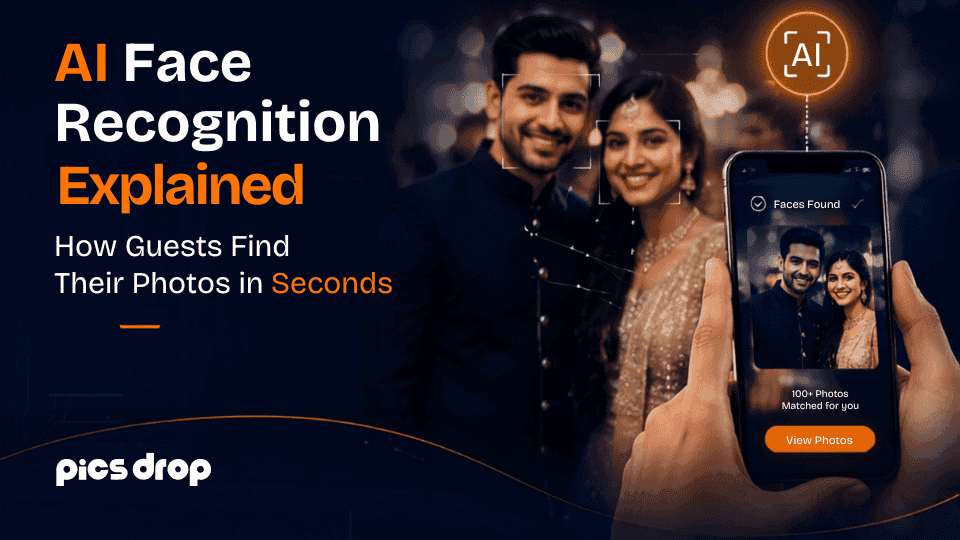
This is the specific problem that AI face recognition photo sharing solves. When it works well, a guest scans a QR code at the venue, takes a selfie in their phone browser, and sees every professional photo they appear in within a couple of seconds. The gallery link approach asks the guest to do all the work. Face recognition flips that entirely the system does the matching, and the photos arrive already sorted.
PicsDrop is the platform built around this idea for professional wedding and event photographers. This post explains exactly how AI face recognition works for event photos, what the guest experience looks like in practice, and what makes PicsDrop's approach worth understanding if you are a photographer or someone planning a wedding.
Why Shared Gallery Links Consistently Fail Wedding Guests
Before getting into the technology, it helps to understand why the current default a gallery link shared with everyone produces such poor results for guests even when the photography itself is exceptional.
The issue is not the size of the gallery or the platform it is hosted on. It is that a shared gallery is organized around the photographer's workflow, not the guest's interests. The photographer sorted by time of day, or by category. The guest wants to know one thing: where are the photos with me in them?
Without face recognition, answering that question requires the guest to scroll every image manually, which is time-consuming enough that most people abandon the effort. The photos exist. They were taken professionally, edited carefully, and delivered on time. They just never reached the people in them in any usable way.
Every photographer who has sent out a gallery link and then spent the next month fielding individual requests from guests asking for specific photos has experienced this failure firsthand. A better delivery system does not ask guests to search, it delivers their photos directly, sorted by their face, before they have had a chance to wonder where they are.
Google Drive and Dropbox are the most common versions of this problem. They are functional file storage tools, and photographers use them because they are free and familiar. But as a guest delivery method, they have a fundamental structural issue: the folder is organized for the person who created it, not the 300 people trying to find themselves in it. Photographers looking for the best Google Drive alternative for photographers are usually looking for exactly this something that solves the delivery problem Google Drive was never designed to handle. Face-indexed, browser-based delivery with a QR code is that solution.
What AI Face Recognition for Event Photos Actually Does
AI face recognition for event photos is a matching system that works in two phases. In the first phase, the system scans every photo in the photographer's uploaded gallery, detects every human face it finds, and converts each face into a mathematical fingerprint, a long sequence of numbers that encodes the geometric structure of that face. In the second phase, when a guest takes a selfie, the system converts that selfie into the same kind of fingerprint and compares it against every fingerprint in the gallery to find the matches.
The fingerprint technically called a vector embedding captures things like the distance between the eyes, the width of the nose bridge, the shape of the jawline, and the curvature of the brow. Two photos of the same person taken in different lighting conditions and from slightly different angles will produce fingerprints that are mathematically close. Two photos of different people will produce fingerprints that are mathematically far apart. That difference in mathematical distance is what the matching algorithm uses to separate a match from a non-match.
What this means in practice is that the system does not need to know who anyone is. It does not store names. It does not build profiles across events. It simply answers the question: does the face in this selfie appear in any of these event photos? If the answer is yes, those photos go into the guest's personal gallery.
How PicsDrop's Face Recognition Works From Upload to Delivery
The process inside PicsDrop runs across four stages. The photographer handles the first two. The guest experience is the last two, and it takes under two minutes from start to finish.
Stage 1: Live Upload During the Event
Most photographers are accustomed to delivering photos weeks after an event, once editing is complete. PicsDrop supports live upload during the event itself, which changes the delivery timeline significantly.
During natural breaks in the wedding day, the transition from ceremony to cocktail hour, or the gap during dinner service the photographer can sync batches of JPEG files to PicsDrop from a laptop or phone on the venue's Wi-Fi or a mobile hotspot. As each image uploads, PicsDrop's AI begins processing it immediately, scanning for faces and adding them to the event's facial index. By the time dinner is over and dancing begins, ceremony photos are already available to guests who scan the QR code at their table.
Stage 2: Face Indexing Building the Searchable Gallery
Every face detected in every uploaded photo gets converted into a vector embedding and stored in an isolated index specific to that event. The photographer does not interact with this process at all there is no tagging interface, no face assignment, no manual labelling. The AI handles all of it automatically from the moment photos hit the platform.
The event isolation is important from both a practical and privacy standpoint. The facial index built for a Saturday wedding in Mumbai has no connection whatsoever to any other event in PicsDrop. Data from one wedding cannot be used to identify or match anyone at a corporate event the following week.
Stage 3: The Guest Scans the Wedding QR Code and Takes a Selfie
At the venue, the photographer's wedding QR code for photos is printed on table cards, displayed on a welcome board near the entrance, or shown on a screen during the reception. When a guest points their phone camera at the code, a web page opens in their mobile browser with no app store involved, no account creation, no form to fill out before they can access anything.
From within that browser page, the guest takes a selfie. PicsDrop processes the selfie using the same embedding approach used to index the gallery, generating a mathematical fingerprint from the guest's face in real time.
Stage 4: Cosine Similarity Matching and Instant Delivery
PicsDrop compares the guest's selfie embedding against every face embedding in the event index using cosine similarity, a measure of how closely two vectors point in the same mathematical direction. When two embeddings are close enough in that space, the photos associated with those gallery-side embeddings get added to the guest's personal gallery.
The whole comparison, across an event gallery with thousands of photos and hundreds of indexed faces, typically completed in under two seconds. The guest sees their photos, downloads the ones they want, and shares them while the reception is still running and the emotional momentum of the day is at its highest.
What Guests Actually Experience at a Wedding Using PicsDrop
From the guest's perspective, none of the technical process above is visible. Here is what a guest actually encounters at a wedding where the photographer is using PicsDrop as their event photo sharing app.
They notice a small card on their dinner table. It has a QR code printed on it with a note that says something like "Find your photos scan here." They point their phone camera at it. A webpage opens immediately, there is no app store prompt, no sign-in screen, no loading delay before they can do anything.
The page prompts them to take a selfie, which takes about five seconds. Their personal gallery appears professional photos from the ceremony and reception where they appear, sorted and ready to download. They download their favorites, and every photo they save has the photographer's watermark on it. Below their gallery, there is a contact form with the photographer's name and logo.
They share a photo on WhatsApp or Instagram while the dancing is still happening. That photo, carrying the photographer's watermark, reaches everyone in their network at the precise moment when a wedding photo posted is most likely to be seen and engaged with.
The entire experience from scanning the QR code photo sharing link to having photos downloaded on their phone takes under two minutes.
Why Being App-Free Is What Makes the Participation Rate So Different
PicsDrop is designed as a browser-based photo sharing app meaning the entire guest experience, from scanning the QR code to downloading photos, happens in the phone's mobile browser without any installation.
This matters more than it might seem. Event photo platforms that require guests to install an app before they can access photos typically see participation rates between 15% and 40% at weddings. Browser-based systems that open directly from a QR code regularly achieve 65% to 93% participation at the same kinds of events.
The explanation is straightforward. Guests at a wedding reception are celebrating, not troubleshooting software. When a system asks them to install an app, create an account, approve permissions, and wait for a download, each of those steps is a moment where a percentage of people stop and do not continue. By the time all four steps are required, the majority of guests have moved on. When the QR code opens a working experience immediately in the browser they already have, almost everyone follows through.
Rohan Malhotra, who used PicsDrop at a 500-guest wedding, described the outcome directly: "Attendees scanned and found their photos via face recognition in less than 2 seconds. It eliminated guest follow-ups entirely." That result zero follow-up emails asking for individual photos is what high participation from a frictionless system actually looks like in practice.
How PicsDrop Handles Face Recognition at Large-Scale Events
The technology works in test environments. The more relevant question for photographers considering PicsDrop is how it performs at the actual scale of the events they shoot 300-person wedding receptions, multi-day celebrations with thousands of guests across multiple functions, corporate events with large attendee counts.
Vikram Sengupta deployed PicsDrop at a corporate tech summit with over 2,000 attendees and 15,000 uploaded photos: "The AI face recognition handled the volume without lag. Guests shared branded photos on LinkedIn within 5 minutes of entering the event."
Hardik Patel used it across a multi-day Gujarati wedding Garba, Haldi, and Reception with over 1,000 guests and 12,000 photos uploaded across the event: "The AI face recognition allowed guests to find their photos instantly, and the feedback across all three days was phenomenal."
Sneha Rao, an event photographer who shoots regularly with PicsDrop, noted the time impact on her workflow: "PicsDrop saves me over 6 hours per event by automating the sorting process. The instant event photo delivery runs live as I shoot, letting guests download their high-resolution photos in real-time."
These are not edge case results from ideal conditions. They reflect what PicsDrop is being used for by photographers at real events with the kind of crowd sizes, mixed lighting, and shooting conditions that are normal in professional event photography.
Where Face Recognition Accuracy Has Limitations
An honest explanation of how this technology works includes where it is less reliable, not just where it excels. There are a few specific conditions that affect matching accuracy:
Heavily obscured faces are the clearest limitation. When someone's face is fully blocked by a large hat, by hair that covers most of their features, or by sunglasses in every photo the system does not have enough facial geometry to generate a reliable embedding from the gallery side, which means the guest's selfie will not produce a strong match against those specific photos. Candid shots where someone is laughing and slightly turned away are handled well. Photos where a face is genuinely not visible are a different situation.
Very dark venues can affect accuracy slightly. PicsDrop handles typical indoor wedding reception lighting reliably, including candlelit and dimly lit receptions. Outdoor evening events with minimal ambient lighting are where accuracy is most likely to be reduced. Outdoor events in natural daylight consistently produce the strongest matching results.
Wide-angle group shots with many small faces in frame are processed, but a guest who appears only in wide-angle group shots throughout an entire event will have fewer reliable matches than someone who also appears in individual or small-group photos. In practice, most guests at a wedding appear in enough varied shots across the day that this is not a significant issue for their overall results.
Privacy: What Happens to the Selfie and the Face Data
PicsDrop handles guest biometric data with a clear set of principles, which photographers should understand before they discuss the system with clients or curious guests at an event.
Guest selfies are processed temporarily at the moment of matching to generate the comparison vector. Once the match completes and the guest's gallery is returned, the selfie image and derived vector are not stored permanently. The guest's session ends and nothing from that interaction is retained in the system.
Face data from each event is stored in a completely isolated index. There is no cross-event tracking the facial data from one wedding cannot be used to match anyone at a different event, regardless of who appears in both. When a photographer archives or deletes an event gallery in PicsDrop, all associated face data is deleted at the same time.
Each guest sees only the photos matched to their own selfie. There is no browsing interface that lets one guest see another attendee's matched results.
These practices align with GDPR requirements in Europe and India's Digital Personal Data Protection (DPDP) Act. For photographers who shoot in markets where biometric data handling is regulated, this architecture is the right foundation to be working from.
What Photographers Get Beyond Face Recognition The Full PicsDrop Platform
Face recognition and QR code photo sharing are the core of what makes PicsDrop useful at events, but the platform is built to support the full business workflow of a professional photographer, not just the guest delivery moment.
Every guest gallery page shows the photographer's logo, and every downloaded photo carries the photographer's watermark. Below the guest's photos, a booking inquiry form is embedded meaning a guest who loves their photos and wants to hire the photographer for their own event can submit an inquiry from the same page where they just saw the photographer's work. The delivery experience is the photographer's branded experience throughout.
Preet Singh, a wedding photographer, connected this directly to his business: "PicsDrop has increased our wedding referral business by 40%. Parents and friends get their photos instantly through AI photo sharing without bothering the bride or groom."
Beyond the guest delivery system, PicsDrop includes a built-in photographer portfolio website, an event booking management system where inquiry form submissions flow, an invoice generator for confirmed bookings, and FTP photo transfer support for photographers using tethered shooting setups. Photographers who prefer a white-labeled delivery experience can set up a custom subdomain so galleries are delivered from their own branded domain.
Amit and Diya, who set up a custom subdomain through PicsDrop, described it as "the most professional wedding photography delivery tool" they had used, and said it made a noticeable difference in how clients perceived their brand.
Photographers who currently use ShootProof or Pixieset for client album delivery often ask whether PicsDrop replaces those tools. The short answer is that they serve different jobs. ShootProof is designed around delivering the final edited album to the couple proofing, print ordering, album design. PicsDrop is designed around delivering photos to every guest at the event, live, via QR code and face recognition. As a ShootProof alternative specifically for guest delivery, PicsDrop fills a gap that ShootProof was not built to fill. Many photographers use both: ShootProof for the couple's proofing workflow, PicsDrop for same-night guest delivery.
Setting Up Face Recognition Delivery at Your Next Wedding
The setup is shorter than most photographers expect. Here is a realistic walkthrough of what it involves:
Sign up at picsdrop free, no card required to start. Create an event at least 24 hours before the wedding so the QR code is ready in time to print signage. The QR code for wedding pictures gets printed on table cards at every table, a welcome board at the entrance, and optionally on bar cards during the reception. The more places guests see it, the more people scan.
On the day, upload in batches during natural gaps in the shooting schedule ceremony to cocktail, cocktail to dinner. The AI processes faces as each image uploads, so guests who scan during the reception will already find ceremony photos waiting for them.
Ask the MC or wedding coordinator to make a brief mention during the reception something like "you can scan the code on your table right now to find your professional photos from today." A 30-second announcement from someone with a microphone dramatically increases the number of guests who participate.
After that, PicsDrop handles the matching, delivery, and branding automatically while you keep shooting.
Key Takeaways
- How AI face recognition works for event photos comes down to vector embeddings and cosine similarity: every face in a gallery is converted into a mathematical fingerprint, and a guest's selfie is matched against those fingerprints to identify which photos they appear in typically in under two seconds.
- AI face recognition photo sharing through PicsDrop is fully browser-based. Guests scan the QR code, take a selfie, and their personalized gallery appears no app download, no account, no friction.
- As a wedding photo sharing app, PicsDrop supports live upload so guests receive their photos during the event, while engagement with the wedding and the photographer's work is at its highest.
- As an event photo sharing app, PicsDrop embeds photographer branding and a booking form into every guest gallery turning photo delivery into a referral channel that works passively.
- Guest face data is processed temporarily, event-isolated, and deleted when the gallery is archived. No persistent biometric profiles are created across events.
- Photographers using PicsDrop report saving 6 or more hours per event on manual sorting, and referral bookings increasing by up to 40% from wedding guest engagement.
Conclusion
Most wedding guests never find their event photos because searching through thousands of images takes too much effort. PicsDrop uses AI face recognition to instantly match guests with their photos through a simple QR code and selfie, delivering images within minutes. Photographers save time, reduce photo requests, and get more brand exposure through shared watermarked photos. Try PicsDrop free for your next event and experience seamless same-night photo delivery.
Frequently Asked Questions
How does AI face recognition work for event photos?
Every uploaded event photo is scanned for faces, and each detected face is converted into a mathematical fingerprint called a vector embedding. When a guest takes a selfie, their face generates a matching vector, and a cosine similarity comparison against the gallery index identifies which photos they appear in. The matched photos are assembled into a private guest gallery and delivered within seconds.
What is AI face recognition photo sharing?
AI face recognition photo sharing is a method of delivering personalized event photos to guests by matching their selfie against a face-indexed gallery. Instead of scrolling through thousands of images to find themselves, guests take a single selfie and receive only the photos where they appear. PicsDrop uses this as the core delivery mechanism for wedding and event photographers.
What makes PicsDrop different from other photo sharing apps?
Most photo sharing app platforms are built for personal use and do not serve the professional event delivery context. PicsDrop is built specifically for photographers who need to deliver photos to large groups of guests automatically, with the photographer's branding on every gallery page and downloaded image. The face recognition, QR code photo sharing, and booking form are all part of the same photographer-focused workflow.
How does a wedding QR code for photos work?
A wedding QR code for photos is a unique code generated by PicsDrop for each event. It is printed on table cards, welcome boards, or screens at the venue. When a guest scans it with their phone camera, a web page opens in their mobile browser no app required and they can take a selfie to find their personalized gallery. The entire process takes under two minutes.
Is PicsDrop a good event photo sharing app for large weddings?
Yes. PicsDrop has been used at weddings with 500 or more guests and corporate events with 2,000 or more attendees handling 15,000 or more photos without performance issues. As an event photo sharing app, it is designed to process large galleries and match individual guest selfies in real time at event scale.
Does PicsDrop store guest selfies permanently?
No. Guest selfies are processed at the moment of matching to generate a comparison vector, and neither the selfie image nor the derived vector is stored permanently after the match completes. All face data is event-isolated and deleted when the photographer archives the event gallery.
Is PicsDrop a good Google Drive alternative for photographers?
Yes, for guest delivery specifically. Google Drive is designed as file storage, not as a guest-facing photo delivery system. As the best Google Drive alternative for photographers who want to actually get photos to the people in them, PicsDrop replaces the shared folder link with a face recognition system guests scan a QR code, take a selfie, and receive only their personal photos in seconds, without scrolling a folder full of thousands of images.
Is PicsDrop a ShootProof alternative?
PicsDrop and ShootProof serve different parts of a photographer's workflow. ShootProof is built for client album proofing delivering the final edited gallery to the couple with print ordering and album design. As a ShootProof alternative for guest photo delivery, PicsDrop handles something ShootProof was not designed to do: getting every guest at the event their own personalized set of photos via QR code and AI face recognition, on the same night. Many photographers use both tools for different jobs in the same workflow.
Is PicsDrop free to use?
PicsDrop is free to start no card required. Visit picsdrop to create your first event and try AI face recognition delivery at your next wedding or event.