
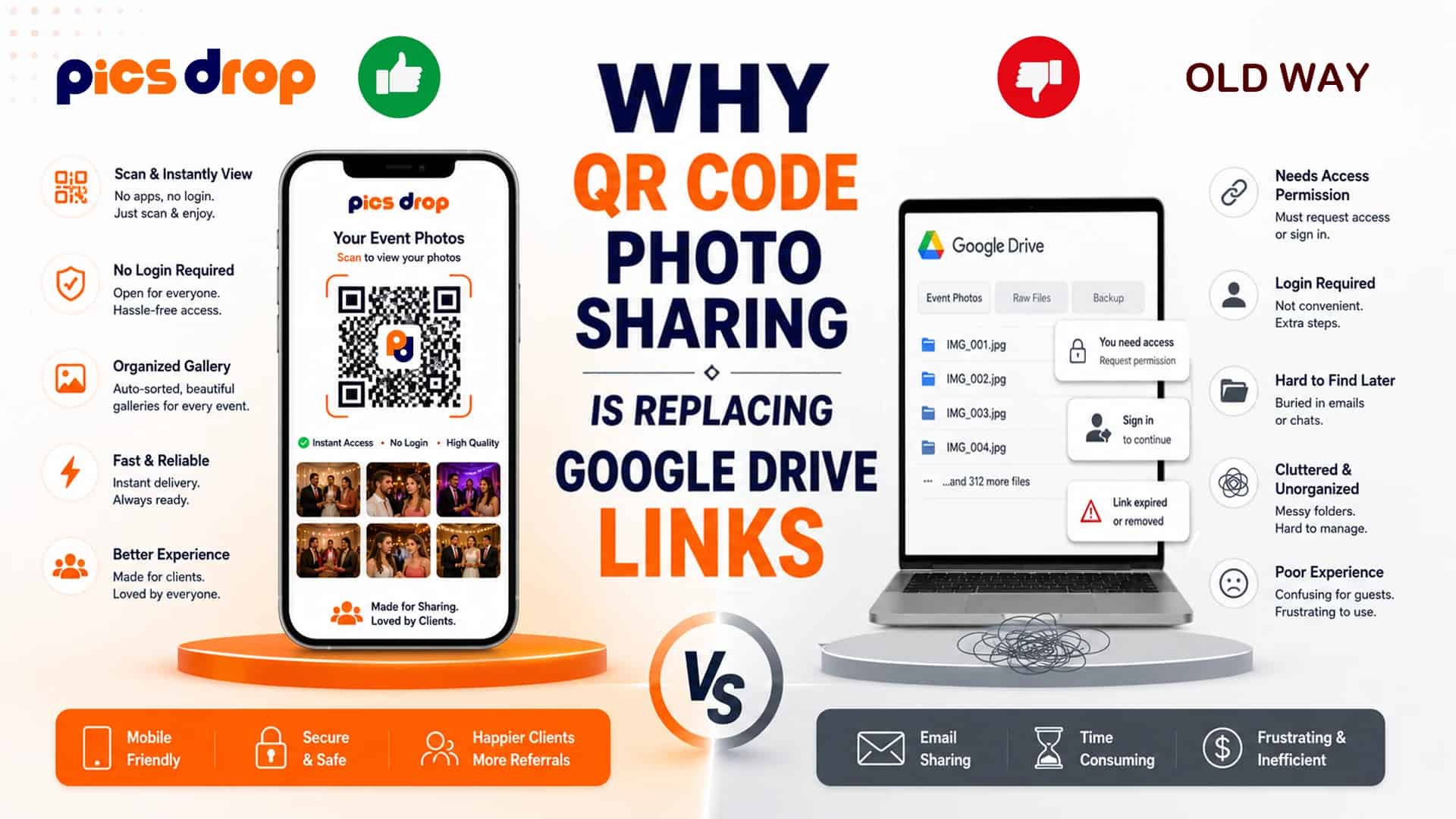
The Shared Link is Dead: Why Google Drive Fails at Live Events
You email a Google Drive link containing 1,500 event photos to the host. The host forwards it to guests. Within minutes, the emails start: "I need permission to view," "The link is not loading on my phone," and "How do I find the pictures I am in?" This back-and-forth administration eats up hours of your post-event workflow.
According to a 2023 consumer experience report by Qualtrics, client satisfaction with post-event digital delivery drops by an average of 18 points for every week of delay. Standard cloud folders require photographers to finish culling and editing before sharing anything. This delay kills the initial excitement of the event, when guests are most motivated to share images online.
Google Drive and Dropbox were designed for static office file storage, not for real-time event distribution. By moving from shared cloud links to browser-based QR code galleries, photographers can eliminate delivery admin, automate image filtering, and deliver photos to guests while the event is still happening.
What is QR Code Photo Sharing?
QR code photo sharing is an instant digital distribution method that allows guests to access, view, and upload event galleries directly in a mobile web browser by scanning a physical or digital code, eliminating app downloads and account requirements.
Unlike standard folders that present a massive grid of unorganized files, QR-based event platforms use temporary matching coordinates to filter galleries automatically. Guests do not need to scroll through thousands of photos to find their face.
Understanding Access Friction in Digital Sharing
Access friction in digital sharing is the total number of cognitive and technical steps, including app installations, logins, and permissions, that a user must navigate to complete a task, directly impacting overall participation rates.
A 2023 app installation study by mobile analytics firm Flurry found that requiring guest downloads at physical venues drops user participation by 72%. If a guest must search the App Store, enter a password, and verify an email just to view event photos, they will choose to walk away.
Shared Google Drive links avoid app stores but introduce permission friction. If a guest is not logged into the specific Google account authorized to view the link, they are met with a "Request Access" gate. This turns photo retrieval into a manual approval task for the host or photographer.
Google Drive vs QR Code Event Photo Sharing
The gap between static file storage and active event delivery platforms comes down to delivery speed, organization, and guest participation rates.
...How PicsDrop Solves the Distribution Bottleneck
PicsDrop replaces the static shared folder with a real-time, browser-based photo sharing platform. Instead of waiting weeks to deliver a complete gallery, you set up the event in your dashboard before shooting starts, which generates a unique QR code.
You print the QR code on signs near the venue entrance, bar, or on reception tables. During the event, you upload JPEGs via a laptop or mobile hotspot. The upload triggers a Convolutional Neural Network (CNN) that scans the images, maps facial coordinates, and indexes them in a temporary database.
Guests scan the code, take a selfie, and the AI matches their facial map coordinates in under 10 seconds. The guest receives their personalized gallery directly in their browser. They can download watermarked versions instantly, while a contact form on the download page captures booking inquiries for your business.
Step-by-Step Transition Checklist for Photographers
- Generate the Event QR Code: Create the event profile in your PicsDrop dashboard at least 24 hours before the shoot.
- Print Physical Display Cards: Place QR codes on table cards, reception displays, or print them in the event program.
- Upload Highlights Live: Export a quick batch of 50 to 100 JPEGs during dinner downtime, applying a base preset. Upload them to the PicsDrop gallery.
- Verbal Announcement: Ask the event coordinator or DJ to announce that guests can scan the QR code to find photos of themselves immediately.
- Perform Detailed Editing Separately: Deliver the full, high-resolution proofing gallery to the client later using tools like Pixieset. The live guest sharing runs on its own pipeline.
Conclusion
Google Drive links and manual photo sharing are relic workflows that force photographers into the role of a database administrator, handling permission errors and manual guest requests long after the event has ended. Replacing those static folders with a QR code photo sharing platform like PicsDrop automates event distribution, allowing guests to self-serve their own photos instantly via a simple scan and selfie match.
This cuts out post-production delivery admin and puts your branding in front of every attendee at the peak of their excitement, turning gallery delivery from a chore into a direct referral channel.
Frequently Asked Questions
Why is QR code photo sharing replacing Google Drive links?
QR code photo sharing replaces Google Drive because it removes sign-in gates, eliminates manual folder navigation, and uses AI face matching to filter personal photos instantly, resulting in significantly higher participation rates.
Do guests need to register to view their photos?
No. Browser-based platforms like PicsDrop run directly in the mobile browser. Guests simply scan the QR code and take a selfie to match their photos.
How can guests find their photos from an event?
Guests can simply scan the event QR code and upload a selfie. The AI-powered photo search automatically finds matching images, making it easy to find photos from an event without browsing thousands of files.