Back to All Tutorials
Notes & Reminders Management
PicsDrop step-by-step video watch page. Learn how to configure your account.
Video Walkthrough Transcript & Guide
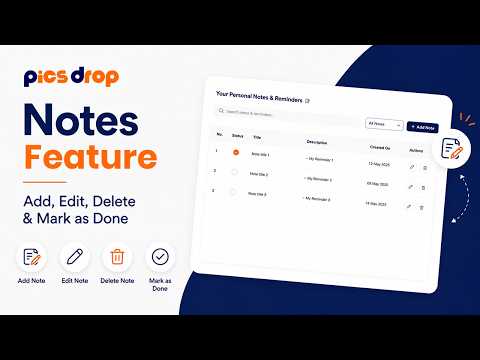
Keep track of shoot lists, client preferences, and studio tasks with the dedicated Notes and Reminders manager.
Note management workflows include:
- Instant Search and Filters: Easily search notes by title or description content. Use the filter dropdown to quickly toggle between Read and Unread notes.
- Notes DataTable: Displays all notes in a structured list containing index numbers, read/unread check boxes, note titles, descriptions, and creation dates in a clean dd-MMM-yyyy format.
- Personal Note Editor: Click 'Create Note' to open a modal where you can write note titles and detailed descriptions. You can view saved notes in a read-only viewer modal or edit them with a single click.
- Workflow Integrations: Notes sync with your dashboard's quick widget, helping you track shot lists, gear checklists (lenses, bodies, lighting), and client payment deadlines.